The field guide / LocalSky vs Rachio 3

A different kind
of control.

LocalSky puts the weather, the watering logic, and the history on your own hardware. Here’s how that compares with a Rachio 3.

LocalSky v1.0.1 / Rachio 3 · Rachio sources reviewed

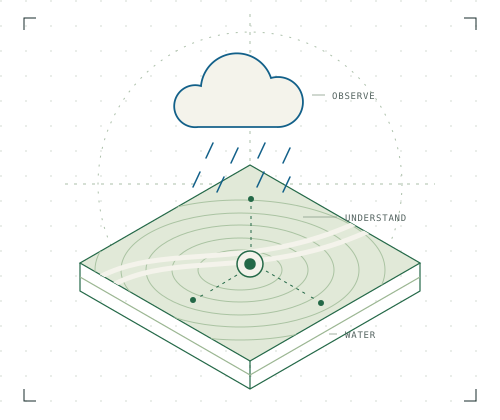
Different approaches. The same backyard.Weather, soil, and sprinkler connections centered on your yard
Choose the balance of convenience, visibility, and hands-on control that feels right for you.
Rachio 3 / Controller + app

Plug into a
managed experience.

A sprinkler controller, a mobile app, and cloud weather services from one vendor. A straightforward fit when you want the system to arrive as a package.

A good fit: You value convenience and vendor support, and you’re comfortable with cloud services.

LocalSky / Software + your devices

Make the engine
your own.

Weather and irrigation software on your host. Choose supported sensors and controllers, inspect the reasoning, and connect your own automations.

A good fit: You want visibility and local access, and you’re comfortable maintaining your own installation.

Why people look at LocalSky

Closer to the data.
Closer to the decision.

The appeal is in what you can see, connect, and make your own.

Look inside the app
  1. 01

    Give every zone a voice.

    Bind supported soil probes to individual zones. Real moisture evidence can inform a wet-soil skip or a dry-soil decision.

  2. 02

    Follow the reasoning.

    Explore weather inputs, zone plans, and recorded outcomes. The source code is there when you want to go deeper.

  3. 03

    Build beyond the app.

    Use local REST, live SSE streams, MQTT, and the optional Home Assistant companion. Keep your recorded history on your own server.

The details, in the open

A fair comparison.
Down to the connections.

Hardware and service requirements are part of the comparison. Rachio references link to its documentation; LocalSky links explain the current implementation.

21 capabilities · Full comparison

CapabilityRachio 3Controller + cloud servicesLocalSkySelf-hosted software
Setup & access
What you need Controller and Wi-FiInstall the controller and set it up with the Rachio app and account. [1] Host and supported controllerRun Docker or the Home Assistant OS app. Connect and configure your devices. Install guide
Software subscription No required monthly feeCore features are included. Heat Wave Boost is an optional one-time purchase. [1] [2] No LocalSky subscriptionApache-2.0 software. Hardware, hosting, and any paid third-party services are separate. Local operation
Internet outages Stored watering continuesFixed schedules continue offline. Flex schedules use a two-week cache, then default watering. Weather skips and app control need a connection. [3] Local connections stay reachableThe local app, history, and LAN devices remain available. Missing required weather or rain evidence can pause automatic watering. Offline behavior
Controller connections Rachio hardwareThe app manages compatible Rachio devices through its service. [1] Local and cloud adaptersOpenSprinkler, supported HTTP/MQTT devices, HA services, and vendor cloud adapters. Support varies by adapter. Compatibility
Multiple properties Supported in one accountGroup and manage devices by property in the Rachio app. [4] Multiple controllers per locationEach instance uses one configured location. Use separate instances for properties with different weather and timezones. Location setup
Weather & soil
Weather and forecasts Weather Intelligence PlusUses weather services and station data for weather-aware scheduling. [5] Choose your sourcesLocal observations plus supported online forecasts. Online forecasts and radar need internet; resolution varies by provider. Forecast sources
Your weather station Supported station connectionsTempest data connects through an account-linked weather integration. A separate integration purchase may be required. [6] Supported LAN readingsTempest UDP, compatible Ecowitt gateways, and other configured sources. Availability depends on the device. Weather and sensors
Rain, freeze, and wind skips Weather skips includedRain Skip considers recent and forecast rain. Freeze and Wind Skip are also available. Behavior varies by schedule type. [5] Configurable decision rulesCurrent and forecast weather, soil conditions, and input quality can skip watering. Zone evidence can change soft rain recommendations. Rules and thresholds
Modeled soil water Flex Daily moisture modelTracks estimated moisture from weather, watering, and zone settings. Includes moisture graphs and adjustable depletion. [7] ET and soil water balanceModels plant demand, rain, delivered watering, and soil capacity. Inputs and zone reasons are visible. How decisions work
Physical soil sensors Threshold interruption possibleA compatible third-party soil sensor can interrupt watering through common wiring. This is not per-zone probe telemetry in the app. [8] Per-zone probe bindingsSupported third-party probes provide moisture evidence for zone decisions. Sensors and gateways are separate purchases. Connect a probe
Probe calibration and extra readings Sensor-dependent settingsSet a connected threshold sensor according to its instructions; Rachio’s modeled moisture is separate. [8] Calibration and target bandsDry/wet calibration for supported Ecowitt channels, plus per-zone moisture targets. Temperature and conductivity depend on hardware; conductivity is display-only. Probe details
Watering
Upcoming watering Schedule and moisture viewsFlex Daily adjusts watering based on estimated soil moisture and weather. Upcoming schedules can change. [7] [10] Week-ahead zone outlookProjected watering, rain, and water balance carry forward through the plan. Future days can change; they are not recorded outcomes. The week ahead
Sun-relative watering End before sunriseCalculates a changing start time to finish before sunrise. One end-before-sunrise schedule per controller. [9] Finish before sunriseNormal automatic watering works back from sunrise minus 15 minutes, including soak gaps. Eligible freeze conditions can move the window. Scheduling behavior
Manual watering Quick RunRun selected zones and adjust their durations from the app. [10] Quick Run for any or all zonesChoose durations, run zones in sequence, and stop from the watering strip on any page. Manual runs bypass weather skips; duration and daily limits still apply. Quick Run guide
Heat response Weather-aware demand; optional BoostFlex scheduling accounts for weather and water loss. Heat Wave Boost adds configurable heat-wave rules as a one-time purchase. [7] [2] ET demand and heat adjustmentsWeather affects modeled demand. A configurable heat-advisory rule can extend eligible weekly-plan watering; soil-model zones use calculated demand. Rules and thresholds
Flow measurement Compatible wired metersRachio 3 supports specified third-party wired flow meters. Hardware is required. [8] Supported flow input requiredFlow and volume depend on a connected meter and valid adapter readings. Run duration alone is not measured water use. Watering records
Data & integrations
Decision visibility Skip notices and moisture detailWeather Intelligence explains skip types; Flex Daily exposes its moisture model in the app. [5] [7] [10] Inputs, reasons, and source codeInspect zone plans, weather evidence, recorded outcomes, and the implementation. Decision guide
History and export App history and CSV reportsReview events and zone usage; export historical water-use data as CSV. Measured volume requires appropriate hardware. [10] Local records and CSV exportRun and daily logs, CSV download, print reports, and database backups. Retention is configurable by data type. History guide
Automation API Public cloud APIAccount credentials and vendor rate limits apply. [11] Local REST, SSE, and MQTTConnect your own automation and data tools. API authentication and configuration apply. Developer guide
Home Assistant Cloud connectionHome Assistant’s Rachio integration uses the Rachio service. [HA] Optional local companionAdd supported readings and zone controls to HA, or use its sensors and valve services. Further bridges require separate setup. Companion integration
Maintenance and support Vendor-managed experienceRachio supplies the controller, app, cloud service, and product support. [1] You manage the installationMaintain your host, updates, backups, and device configuration; support is through the project. Updates
Sources, review date & scope

This comparison is maintained by LocalSky. LocalSky is updated for stable v1.0.1, released October 5, 2026. Rachio 3 references use the documentation below, reviewed September 26, 2026. It is not a hardware benchmark or a test of a specific Rachio firmware version. Capabilities depend on your devices, configuration, and services.

LocalSky rows link to the product guide. The reviewed source release is available to inspect. Home Assistant features are identified separately; a bridge does not imply native HomeKit, Matter, or Thread support.

You choose how much to make your own.

Rachio offers a managed controller experience. LocalSky offers an open engine and flexible connections on a host you maintain.

See what setup involves

Worth knowing

A good fit starts
with clear expectations.

Does LocalSky make my Rachio work offline?

No. The Rachio adapter uses Rachio’s cloud API. For a local control path, choose a supported LAN controller. Automatic watering can still pause if required weather or rain evidence is missing. Read about offline behavior.

Do I need soil sensors or Home Assistant?

Neither is required. Zones without bound probes can use the weather and soil model. Home Assistant is an optional integration; the watering engine stays in LocalSky.

Is LocalSky free?

The software is free under Apache-2.0, with no LocalSky subscription. You supply the host and devices, and cover any paid services you choose. Rachio’s core features also have no required monthly fee; optional premium features are one-time purchases.

What should I check before switching?

Review controller compatibility, zone bindings, run limits, and networking. Disable overlapping automatic schedules when LocalSky takes over. Test your setup with a supervised run. Check your controller.

Make yourself at home

See what your
yard is telling you.

Take a look around the app. Start with the weather, explore a zone, and see the evidence behind a watering decision.

Simulated weather & zones · No hardware needed

Prefer to try it on your own machine?
Docker · Demo mode
docker run -d \
  -p 8090:8090 \
  -e LOCALSKY_DEMO=1 \
  ghcr.io/silenthooligan/localsky:latest

Open localhost:8090 on the host. For a real installation, follow the storage and networking guide.